
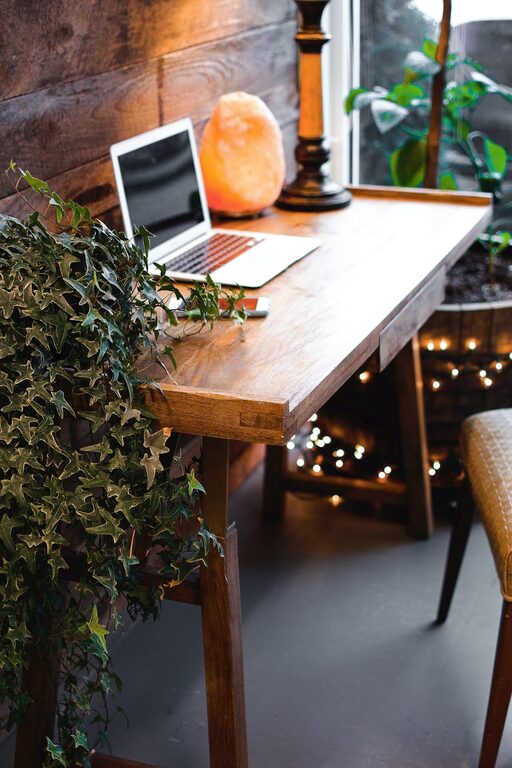
Creating a home office that is both cozy and productive can significantly improve your work-from-home experience. Whether you’re a full-time remote worker or someone who occasionally works from home, having a dedicated space that feels inviting yet efficient is essential. In this post, we’ll explore practical tips to help you design a workspace that balances comfort with functionality.
Why a Cozy and Productive Home Office Matters
When your home office feels cozy, it promotes a positive mood, reduces stress, and encourages focus. On the other hand, productivity requires a space free of clutter and distractions, with tools and furniture optimized for work tasks. Combining these elements creates an environment where you want to spend time—not just to get work done but to enjoy the process.
Choosing the Right Location
Find Natural Light
Seek out a spot in your home with plenty of natural light. Sunlight not only brightens your workspace but also boosts energy and mood. If natural light is limited, invest in quality task lighting to reduce eye strain.
Minimize Distractions
Pick a location away from high-traffic areas, noisy appliances, or entertainment zones. Ideally, this will be a quiet corner or a spare room where you can focus without interruptions.
Furnishing Your Space
Ergonomic Furniture Is Key
Choose a comfortable chair with good lumbar support to protect your back during long hours of sitting. Your desk should be at an appropriate height to keep your wrists straight while typing.
Keep It Compact but Functional
Select furniture that fits your space without overcrowding. Consider multi-purpose pieces like desks with built-in storage or shelves to keep essentials close but organized.
Organizing for Efficiency
Declutter Daily
A clutter-free desk promotes clearer thinking. Take a few minutes each day to tidy up papers, pens, and gadgets.
Use Storage Solutions
Incorporate drawers, filing cabinets, or bins to store paperwork and supplies. Label containers for easy access and to maintain order.
Cable Management
Use cable ties or clips to keep cords neatly bundled and out of sight, preventing tangles that can cause frustration.
Personalizing Your Workspace
Add Comfortable Touches
Include a soft throw blanket, cushions, or a small rug to make the space feel inviting.
Bring in Nature
Plants can improve air quality and add a refreshing touch of greenery. Low-maintenance options like succulents or spider plants are perfect for desks.
Display Inspiring Items
Photos, artwork, or motivational quotes can help personalize your area and keep you inspired throughout the day.
Optimizing Your Technology Setup
Reliable Equipment
Invest in a good-quality computer, monitor, keyboard, and mouse to make working easier and more efficient.
Internet Connection
Ensure your internet connection is stable and fast enough to handle video calls, file uploads, and downloads without interruptions.
Backup Systems
Consider external drives or cloud storage to protect your important files from data loss.
Enhancing Focus and Comfort
Noise Control
Use noise-cancelling headphones or soft background music to drown out distracting sounds.
Maintain Comfortable Temperature
Keep your workspace well-ventilated and at a comfortable temperature to avoid discomfort that can detract from productivity.
Take Breaks and Move
Set reminders to stand, stretch, or take short walks to keep your body active and mind refreshed.
Lighting Tips for Productivity and Ambience
Balance Natural and Artificial Light
Avoid glare on screens by positioning desks perpendicular to windows. Supplement with adjustable desk lamps for focused lighting.
Use Warm Light for Coziness
Soft, warm bulbs can create a comfortable atmosphere without straining the eyes.
Establishing a Routine
Define Work Hours
Even at home, set regular start and end times to maintain balance and avoid burnout.
Create Rituals
Start your day with a small routine—like brewing coffee or reviewing your to-do list—to signal the beginning of work mode.
Conclusion
Designing a cozy and productive home office is about blending comfort with efficiency. By selecting the right location, investing in ergonomic furniture, staying organized, personalizing your space, and optimizing technology, you can create an environment that supports your work and well-being. Remember to balance your workspace setup with healthy habits like taking breaks and maintaining a routine to make the most of your home office.
With these tips, your home office can become a place you look forward to being—a productive haven that feels just like home.