
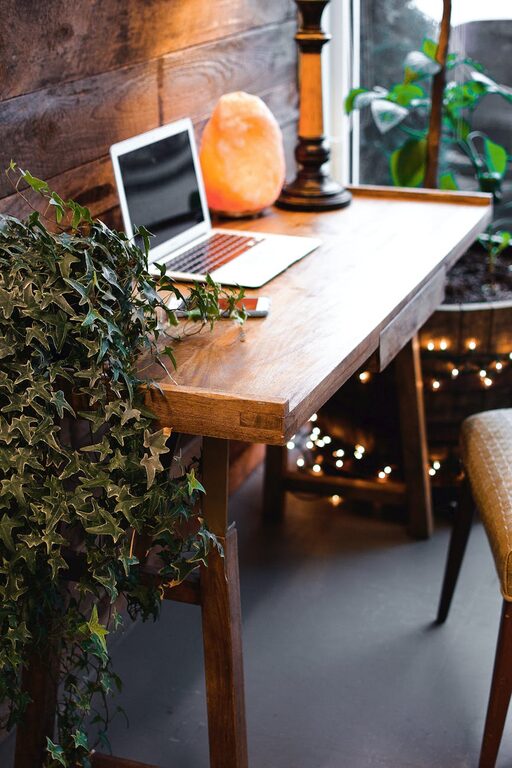
Creating a cozy and inviting home workspace can greatly improve your comfort and productivity. Whether you work full-time from home or just need a corner for occasional tasks, making your space pleasant and functional is key. In this guide, we’ll explore practical tips to help you design a workspace that feels welcoming, inspires focus, and supports your daily activities.
Why a Cozy Workspace Matters
Your workspace impacts not only how you work, but how you feel throughout the day. A space that feels warm and inviting helps reduce stress, increases motivation, and makes it easier to concentrate. On the other hand, a cluttered or uncomfortable area can be distracting and tiring.
Choose the Right Spot
Consider Natural Light
Aim to place your desk near a window. Natural light is uplifting and helps maintain your energy levels. If natural light is limited, use quality artificial lighting that mimics daylight.
Minimize Distractions
Pick a quiet corner if possible, away from noise and household traffic. This will help you focus better and create a sense of separation between work and relaxation zones.
Invest in Comfortable Furniture
Ergonomic Chair
Select a chair that supports good posture. Adjustable features like seat height and backrest angle make a big difference over long periods.
Desk Size and Style
Choose a desk that fits your needs and space. A larger surface can help you stay organized, while a smaller desk can keep things simple. Consider a style that complements your home décor.
Personalize Your Workspace
Add Warm Textiles
Incorporate soft blankets, seat cushions, or a small rug. These touches add warmth and comfort and can make the area feel inviting.
Use Plants
Greenery brings life and freshness to a room. Choose low-maintenance indoor plants to brighten your desk or shelves.
Display Meaningful Items
Include photos, artwork, or objects that inspire you. Personal touches help make your workspace uniquely yours.
Organize Thoughtfully
Declutter Regularly
Keep only what you need on your desk. Storing supplies and documents neatly reduces visual distractions.
Use Storage Solutions
Utilize shelves, drawers, or organizers to keep materials tidy. Clear containers or labeled boxes help maintain order.
Cable Management
Tidy cables improve the look of your workspace and prevent accidents. Use clips, ties, or under-desk trays to keep wires neat.
Lighting for Comfort and Focus
Layer Your Lighting
Combine task lighting, like a desk lamp, with ambient lighting. This helps reduce eye strain and creates a balanced atmosphere.
Choose Warm or Neutral Bulbs
Soft white or daylight bulbs are easier on the eyes than harsh fluorescents. Adjustable brightness lamps can adapt to different times of day.
Incorporate Calming Colors
Colors influence mood and concentration. Neutral tones combined with soft pastels or muted hues create a soothing environment. Avoid overly bright or distracting colors in your main workspace.
Maintain Proper Air Quality and Temperature
Good ventilation and comfortable temperature levels improve alertness. Open windows when possible or use an air purifier. A small fan or heater may help regulate temperature without disturbing the tranquility of your workspace.
Take Regular Breaks and Move
A cozy workspace includes space or a nearby area to stretch and relax. Standing up or stepping away for short breaks refreshes your mind and reduces fatigue.
Technology and Tools
Choose the Right Equipment
Reliable and efficient technology reduces frustration. Invest in a good monitor, keyboard, and mouse that suit your needs.
Manage Notifications
Limit interruptions by customizing notification settings. This supports focus and reduces stress.
Final Thoughts
Creating a cozy and inviting home workspace doesn’t have to be complicated or expensive. By focusing on comfort, personalization, and organization, you can build a space that supports your productivity and well-being. Remember, the best workspace is one that feels good to you and inspires you to do your best every day.